ABOUT
A creative studio for the way you work.
FramioCam brings screenshots, screen recording, and a creative editing studio to Chrome. Capture an idea, explain a detail, and share a polished result. Your media stays on your device, with optional sharing through your own Google Drive.
We’re also building FramioCam for Mac: a separate native app for capturing across desktop apps and windows. The Chrome extension is available today. The Mac app is coming soon, with its own licence and launch details.
A quick screenshot should not interrupt your work. A recording should be easy to explain. We bring capture and editing together, with local media and a paid upgrade you buy once.
Our Chrome extension, by design.
01
Your media stays yours.
Captures, recordings and edits live in your browser’s own storage, on your machine. Account services and usage events use the network; your media never goes to FramioCam.
WHAT LEAVES YOUR BROWSER02
You buy it once.
Pro and Teams are bought outright. Nothing renews, nothing is cancelled, and there is no seat you keep paying for to keep what you already made.
WHAT IT COSTS03
The free plan is the product.
Not a trial with a clock on it. Unlimited screenshots, unlimited recordings, and the whole studio. Pro removes the FramioCam watermark from Studio exports and raises the video export limit to 4K.
WHAT THE FREE PLAN GIVES YOU
WHAT IT DOES
One workflow, from capture to finished content
Most of the work is in the handover: a capture that arrives in the editor already the right size, a recording that opens on a timeline rather than in a download folder.
- Capture
- Visible area, full page, full site, or a region you draw — stitched at device-pixel resolution.
- Screenshot Editor
- Backdrops, macOS and Windows window frames, non-destructive annotations, crop and watermark.
- Screen Recording
- Tab, window, screen or an area, with live preview and real mic and camera meters.
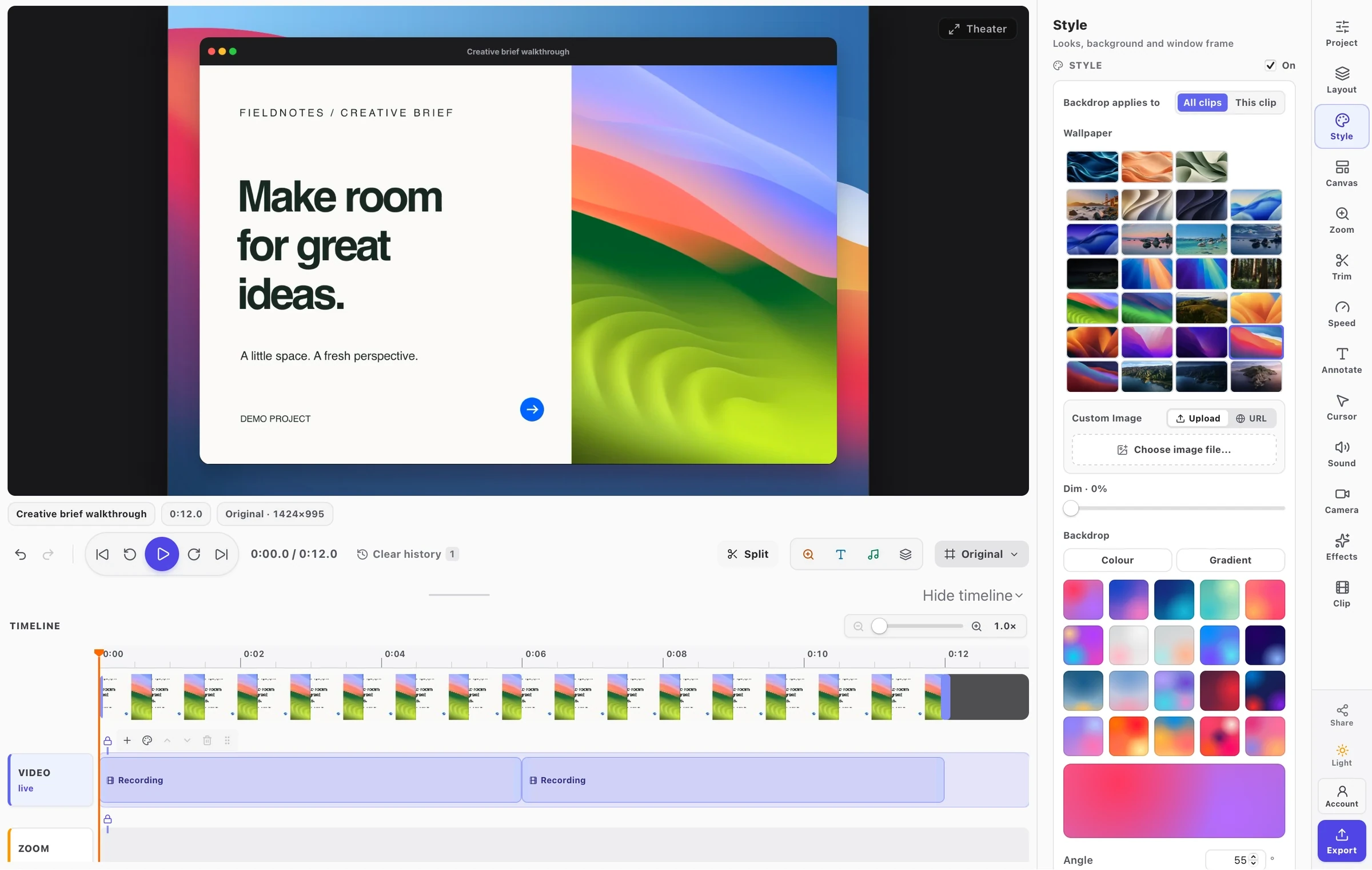
- Video Editor
- A multi-lane timeline: transitions, click-driven auto-zoom, text, marks, audio, and export.
WHO MAKES IT
Built by people who care about the details
FramioCam is built by Ratul Hasan at BeSofty.
Payment is handled by Paddle as merchant of record, which is why your receipt comes from them and card details never reach us.
If something here is wrong, or you want something it does not do yet, support@framiocam.com reaches a person.
IN THE OPEN
- Changelog →
- Every release, newest first — what was added, what improved, and what was broken before it was fixed.
- Blog →
- Notes on how the pipeline works, and the bugs that taught us something worth writing down.
- Careers →
- What we would look for, and how to write to us when nothing is open.