CHANGELOG
FramioCam updates, release by release.
New features, improvements and fixes in FramioCam, the screenshot and screen recording extension for Chrome — newest first. For what comes next, see theroadmap.
Maintenance update
Latestv1.1.9 ·
A small maintenance release following v1.1.8.
Quicker captures and clearer editing
v1.1.8 ·
Single screenshots return the popup to its home screen, with copy actions where the capture finishes. Blur regions are easier to draw and adjust, and recording setup explains the export account requirement before you start.
- ImprovedAfter a single screenshot, the popup returns to Home instead of reopening a results screen. The capture stays available in Photos and can be opened in the editor from the page's completion card.
- NewA Copy screenshot button on the completion card, including after a capture has already been copied automatically. Copy actions show whether they succeeded and explain when a screenshot is no longer available.
- ImprovedMulti-page captures keep their results summary, with a Copy button for each screenshot.
- FixedScreenshot blur uses pixel processing instead of relying on browser canvas filters. Video blur samples the active clip, so the effect follows the footage being edited.
- ImprovedDraw a blur region by dragging, resize it at the corners, and adjust its strength with consistent controls in the screenshot and video studios.
- FixedA normal webpage is no longer refused for capture just because its address mentions a web-store URL. Browser pages and actual store pages remain restricted.
- ChangedThe popup and recorder explain before recording that recording and editing need no account, while video export requires a free account.
- ChangedStorage notices explain that local copies can be lost when browser data is cleared or FramioCam is uninstalled, and that optional cloud uploads and project sync send files to the connected provider.
Colour cards, drawing while recording, and a tidier timeline
v1.1.7 ·
Put a colour, gradient, image or pattern card anywhere on the timeline, scroll a page smoothly while you record, and draw on it with marks you can still edit afterwards. Overlapping audio, captions and marks get rows of their own, and captions, gaps and the timeline strip now look the same in the preview as in the exported file. The popup is rebuilt around one choice: screenshot or record.
- NewColour clips: a card of solid colour, gradient, image or pattern that sits on a video lane like any clip. Add one from a lane's row or an empty layer, then drag, trim, split, fade, transition and undo it like a recording. It fills the whole frame, hides the camera and is silent, while added audio plays on, and it exports exactly as it previews.
- NewAuto-scroll while recording. Press ⌥⇧S (Alt+Shift+S) and the page, or the panel under the pointer, scrolls at a steady, eased speed until you press it again or Esc. Choose Off, Slow, Medium or Fast in the recorder. It works with the focus inside embedded editors and stops when the recording is paused.
- NewDraw on the page while recording: ⌥⇧A for a pen, ⌥⇧C for an ellipse and ⌥⇧X for a rectangle (Alt+Shift on Windows). Each press draws one mark, in the colour and width chosen in the recorder. In the studio every mark becomes an annotation you can move, recolour or delete. A stroke never clicks the page beneath it and never creates a zoom.
- NewA simpler popup. One switch between Screenshot and Record; screenshot modes as a plain list with their keyboard shortcuts beside them; recording sources and devices as on/off switches; and Photos, Recordings, Pinned and Drives together under Library, with live counts. A choice the current page can't offer says why.
- ImprovedThe popup opens on Screenshot or Record, whichever you used last.
- ImprovedBefore you record, the recorder says if one of these keys is already taken by a Chrome shortcut, and where to change it.
- ImprovedOverlapping sounds are stacked into rows of their own on the audio track ("Audio · 2"), and a clip or colour card dropped onto another clip gets a new lane directly below instead of being refused.
- ImprovedOverlapping captions and marks also get rows of their own ("Text · 2", "Marks · 2"), so nothing is hidden underneath another block.
- FixedCaptions and placed pictures are the same size in the preview as in the exported file; they were shown about twice as large. On styled projects they are placed against the whole canvas, as the preview shows them.
- FixedA gap between clips exports as black over everything, as the preview shows it, instead of keeping the camera, marks or backdrop. Text and the free watermark stay on top.
- FixedThe timeline strip shows each clip's first frames instead of black, and a colour card shows its own fill instead of the recording's frames.
More control over captures and the studio
v1.1.6 ·
Stop long captures when you have what you need, build layered gradients, and style screenshots with editable artwork and local fonts. The video studio gains fuller backdrop controls, with fixes for gradients and licence handling.
- NewStop a full-page capture early with Stop & save and keep the portion already captured. The control stays available between shots, and scrolling moves more smoothly while the capture runs.
- NewBuild a custom gradient from multiple colour stops and soft light layers. Adjust each stop and light, including position, size and stretch, or start from a preset and customize it.
- NewAdd editable SVG artwork to screenshot compositions, including arc patterns, halftone spheres, flowing dots and lines, isometric cubes and geometric grids. Apply solid or gradient colours, including to line-only artwork, and delete a shape directly from its layer row.
- NewChoose from seven locally bundled fonts for screenshot text annotations: Inter, DM Sans, Nunito, Merriweather, Playfair Display, Roboto Mono and Caveat. The fonts work offline and are shared by the preview and exported image.
- ImprovedThe video studio gains the same gradient editor and preset gallery, plus dots, grid and line textures with size and opacity controls, grain, and leaf, sunset or window lighting. The backdrop settings carry through to export.
- ImprovedChoose no background for an edge-to-edge composition. Screenshot canvas shapes use the same visual picker as video, and the screenshot panels follow the editing order: backdrop, layout, mockup, shapes, annotations and branding.
- FixedEditing a gradient colour no longer crashes the canvas when the value is incomplete or invalid. Matching colours render as a solid fill.
- FixedThe half-moon shape draws as a crescent, and SVG artwork made only from strokes responds to the fill controls.
- FixedLicence checks distinguish browser-extension keys from keys for other apps, and cached access stays tied to the current key and browser installation. Automatic video uploads check paid access, and exports stop with an explanation if a required FramioCam watermark cannot load.
- FixedPreviously shipped, newly documented: Google Drive no longer creates duplicate Photos, Videos or project folders when an upload and sync run together. Existing folders are reused consistently; duplicate folders containing files are preserved.
- ImprovedPreviously shipped, newly documented: Overlapping audio, text, zoom and mark blocks on the timeline can be inspected and selected from a stack preview, so a covered block remains reachable.
- ImprovedPreviously shipped, newly documented: Audio clips accept typed trim values as well as dragged edges. When styling is turned off, the notice points to the control that enables it and can take you there.
- ImprovedPreviously shipped, newly documented: The popup header shows the installed extension version.
A screenshot canvas you can compose
v1.1.5 ·
The screenshot editor becomes a freeform composition surface. The screenshot itself, annotations and decorative shapes can be arranged across the whole canvas, with precise shadows and layers that stay the same in the preview and the exported file.
- NewSelect the screenshot itself, drag it anywhere on the canvas and resize it proportionally from any corner. Arrow keys nudge it, guides snap it to the canvas and the other objects, Alt ignores the guides, and Layout can reset its position and size.
- NewAnnotations can be drawn on the backdrop outside the screenshot as well as over the picture. Select moves a rectangle, circle, line, arrow, pen stroke or other annotation whole instead of changing its shape, with the same canvas guides and keyboard nudges.
- NewComplete shadow controls for the screenshot and supported annotations. Start with None, Soft, Medium, Hard, Glow or Aura where available, then set the colour, opacity, horizontal and vertical offset, blur and spread exactly. Custom values can be reset to their preset.
- NewA library of 38 shapes across Basic, Organic, Abstract, Decorative and Lines — from circles, polygons and blobs to waves, bursts, sparkles, dotted grids, squiggles, dashed lines and dot waves. Every choice is previewed with the same painter used on the canvas and in the exported file.
- NewChoosing a shape readies it for placement; the next press on the canvas puts it exactly there. Shapes can then be moved, nudged, duplicated and deleted, and snap to the canvas, the screenshot and other shapes. Hold Alt while moving to ignore snapping.
- NewEach shape can be placed Behind image or Above image. Bring forward and Send backward reorder it only among shapes on the same side of the screenshot, so neither action unexpectedly crosses the image.
- NewShape styling includes None, Filled, linear-gradient and radial-gradient fills, plus colour, stroke, opacity, rotation, scale, blur and position controls.
- ImprovedScreenshot placement, annotations, their individual shadows and shapes are kept separately for every screenshot, take part in undo and redo, and survive reopening the editor. Everything is clipped to the exported canvas, and downloading or copying no longer loses the selection you were editing.
What you preview is what you export
v1.1.4 ·
Marks, transitions, mosaic and Circle Open now render the same file on export that they always showed in the preview. Arrows get fourteen shapes, audio clips get trim handles, cloud drives get a screen of their own, and a project that can't be opened can be removed from the cloud without touching this device.
- NewA gallery of arrow shapes — fourteen, each drawn by the same painter the canvas and the export share. A grip at the middle bows the arrow, a grip above turns it, and a resize moves only the end you gripped.
- NewAudio clips can be trimmed from either edge on the timeline, with edge handles like a video clip's.
- NewA project that can't be opened can be deleted from the cloud. Delete from remote asks first, removes only the remote copy, and leaves this device untouched.
- ImprovedCloud drives — Google Drive, Dropbox and OneDrive — moved off the popup's first screen onto one of their own, reached from Drives below Open Studio.
- ImprovedYour plan refreshes on its own. The licence badge shows the last known answer immediately, then checks again if it's missing or stale and keeps checking while the popup or studio stays open, so Export is never the first place a plan change shows up.
- ImprovedA timeline block too narrow for its name now shows its duration instead of nothing, and collapses in steps as you drag its edge rather than clipping mid-word.
- FixedMarks with an entrance now draw at the moment they were placed instead of painted transparent at time zero — the export matches what the preview always showed. Marks and captions are placed against the picture itself, not the larger composition the backdrop adds.
- FixedTransitions turn the card — picture, camera and window frame together — while the backdrop stays put. Cutting from a plain background used to slide only the recording out from under a frame and backdrop that never moved.
- FixedMosaic pixelates instead of smudging, and Circle Open resolves its radius the way the browser does, so the transition in the exported file now matches the preview. Every transition's preview card runs the same painter the export uses, instead of a colour-rectangle cartoon.
A lighter extension
v1.1.3 ·
Captures are faster, the extension is smaller, and you see what's happening while it works.
- ImprovedThe FramioCam script on every page you visit is now 60% smaller, and the background worker 84% smaller. The popup and screenshot editor open about 40% faster.
- ImprovedA screenshot is copied to your clipboard once. It used to be copied up to four times — during capture, at the end, each time the popup updated, and again when the editor opened. Now it happens once, when capture finishes.
- ImprovedThe pages you visit no longer load fonts from Google on FramioCam's behalf.
- ImprovedDrawing on long screenshots is now smooth. A pen stroke that used to freeze the editor for 12 seconds now feels instant, just like short ones. Moving and selecting annotations are all quicker too.
- ImprovedCaptures finish faster because they're saved once, at the end, instead of being rewritten every time you take a new one.
- ImprovedEvery screenshot shows a small progress card while it's being captured, stitched, or saved — never in the final picture. You can keep reading and clicking while it finishes.
- ImprovedCopy always tells you what happened. If your browser blocks clipboard access, FramioCam says so and what to do instead — instead of silently failing or saying "Copied!" when it didn't work.
- ImprovedAfter you capture, a card shows where it went: copied, saved, or queued in the popup — and offers quick buttons to open the editor, copy again, or download.
- FixedLong full-page screenshots at aspect ratios like 16:9 now save properly instead of being too wide for Chrome to draw. The editor tells you if a huge page was scaled down to fit.
Your work on every device, and a screenshot editor with room
v1.1.2 ·
Your recordings and screenshots can now live in Google Drive, Dropbox or OneDrive as well as on this machine, going both ways — and a whole project, edits and undo steps included, can follow you to another computer. The screenshot editor is laid out like the video editor, the timeline names its rows and keeps your undo history across a reload, and playback no longer stumbles at a cut.
- NewCloud Sync & Share (Pro). Connect Google Drive, Dropbox or OneDrive and your recordings and screenshots go to a FramioCam folder there, each with a shareable link — view-only, editable, or private. Each provider is switched on as it becomes available.
- NewTwo-way sync. The Sync dialog lists what is on this device and what is in your cloud folder side by side. Files that are only here upload; files that are only in the cloud download into your library. Nothing is ever deleted on either side.
- NewProject Sync. Turn on "Sync projects" for Google Drive, Dropbox or OneDrive and every project goes with you — the edits, the undo and redo steps, the recording, the webcam, the cursor, imported clips, audio and pictures. Open it on another computer and it is exactly as you left it.
- NewA Projects list for each cloud, showing what is up to date, what is only in the cloud, what changed here, and what changed in both places — with the one button that brings each into step.
- NewThe editor checks for newer edits when a project opens, sends your changes a few seconds after you stop editing, and says so in the project panel.
- NewWhen a project changed on two devices, you choose which version to keep. Only one is kept; nothing is merged behind your back. Projects live in a hidden FramioCam folder that is never shared, and a project file carries no licence or plan.
- NewBring your own pictures into the screenshot editor: drop images anywhere on it, press + Add at the end of the frames, or paste one with ⌘V. They join after your frames and stay after a reload.
- NewA long page shows a progress ring while its screenshot is stitched, encoded and saved — never in the screenshot itself.
- NewYour edit history survives a reload. Undo and redo steps are kept with each recording, and Clear history beside the clock forgets them without touching your edits.
- NewReorder lanes by dragging their grip, with a line showing exactly where the lane will land.
- NewEach row's name sits in its own column beside the track, edged in the track's colour, and the lane on screen is tinted so you can find it at a glance.
- ImprovedConnections stay connected. Google and Microsoft sessions renew on their own, and Dropbox keeps a refresh token. If a session does run out, reconnecting brings back your settings and synced files. Dropbox connections made before this release need one reconnect.
- ImprovedThe Sync dialog shows its progress file by file, names any file that could not be synced, and never uploads a file that is already in the cloud unless you tick it.
- ImprovedSmoother playback. The timeline no longer redraws every clip on every frame — only the playhead and the part of the clip it is crossing move.
- ImprovedProjects with several clips open faster. Timeline thumbnails wait for the first frame, and each file is decoded once instead of again every time another finished.
- ImprovedThe licence panel shows your account status clearly and takes a key typed in by hand.
- ImprovedThe recorder can ask again for the camera or the microphone when permission was refused.
- ImprovedThe theme button is always on the editor's rail.
- ChangedA new lane is added at the bottom of the stack.
- ChangedThe screenshot editor is laid out like the video editor: the picture takes the room, the frames run along under it, and one group of settings — Backdrop, Layout, Mockup, Brand or Annotate — is open beside a rail on the right. The group you had open is the one you come back to.
- ChangedDownload PNG, Copy, Share and Export all (ZIP) sit in the screenshot editor's top bar, beside the light and dark switch. Pin, cloud storage, reset and shortcuts are one press away under the ⋯ menu.
- ChangedEvery annotation size can be typed as well as slid, and a typed number can go past the slider's end — text up to 200px, strokes up to 50px.
- ChangedA capture mode that cannot run on the page says why inside its own card, once.
- FixedFull-page screenshots of long pages are about twice as fast, show a fixed header once instead of on every screenful, and leave no gaps. A page too big for one image is scaled down or cut, with a note saying which, and a capture that loses the window partway keeps what it took.
- FixedEvery annotation can be picked up and moved whole — rectangles, circles, lines, arrows and pen strokes used to stretch or stay put. Thin lines and large blurs are easier to grab.
- FixedA selected annotation's outline no longer ends up in the downloaded, copied, shared or zipped file.
- FixedThe screenshot preview shows window titles and captions in the same font the file has.
- Fixed⌘Z while typing a caption undoes the typing, not the last annotation. Deleting an earlier frame no longer switches the picture you are working on.
- FixedThe popup's screenshot panel fits the popup in every mode — a mode's card no longer runs under the Screenshots button, and Full Website's list of links is no longer squashed.
- FixedRecording one of FramioCam's own pages starts with the 3-2-1 countdown, as every other page does.
- FixedA second copy of the recording no longer appears on a newly added lane after playback. Projects that already have one are repaired when they are opened.
- FixedPlayback no longer jumps back to the start after the first clip — neither at a cut into a clip on another lane, nor on every other replay of the project.
- FixedClip names on the timeline are sharp instead of smeared by a shadow.
- FixedThe notices above the editor — like "this is a video, not audio" — can be read in light mode, and so can the delete buttons and the zoom positioning hint.
- FixedA blocked microphone says so, instead of showing nothing.
- FixedA video dropped on the canvas goes onto the recording's lane, not the newest empty one.
- FixedCloud folders are read in full. Files past the first fifty were treated as missing, and files already synced were offered for upload again as duplicates.
- FixedA share link that could not be made no longer fails an upload that had already arrived.
A timeline you can read, and a stage that lines things up
v1.1.1 ·
The timeline gets room, frames and magnetism; the canvas gets device frames, shapes and per-clip styling; and everything you can drag now snaps to the frame it lives in.
- NewEverything on the timeline lands on what is already there. Drag a clip, caption, mark, zoom or audio block and it snaps to the nearest edge, the playhead or the project's ends, with an amber line saying what it landed on. Hold Alt to refuse it.
- NewEverything on the stage lines up with the frame. Captions, marks, placed pictures, the zoom region, the camera and the watermark all snap to the centres, the edges and the thirds, with a guide line while you drag. Keyboard nudges land on the same lines, and Alt ignores them.
- NewPhone and tablet frames. The screen takes the device's shape, your recording is letterboxed inside it, and the canvas can be switched to 9:16 (or 4:3 for tablet) with one press beside the picker.
- NewA canvas shape picker in the transport bar: Auto, YouTube 16:9, TikTok 9:16, Instagram 1:1, Standard 4:3 and Portrait 3:4, each drawn at its own proportions and labelled by what it is for.
- NewA backdrop per clip. A recording that cuts from a walkthrough to a talking head can change colour at the cut. The rest of the composition — padding, frame, radius, shadow, watermark — stays project-wide, because a frame that changed at a cut reads as a glitch.
- NewChoose what a filled canvas keeps. Filling crops, and it always cropped from the middle; now there is a pad with guides, arrow keys and Centre to say which part survives — per clip, or for every clip.
- NewA caption can be resized by its corners. Dragging a handle scales the type and leaves the centre exactly where it was.
- NewEmpty zoom and text lanes offer to fill themselves. Hover an empty stretch and the block a press would add is drawn there, at the width it would actually get.
- NewA shadow can be any colour — marks and captions have a picker for it rather than black or the mark's own colour.
- NewRecord the page you are standing on, even when it is one of ours. The popup over a FramioCam page now shows Record, aimed at that page, with the switch that allows it right there.
- NewFramioCam says where your work lives before you make any of it: everything stays on this machine, and four ordinary actions — uninstalling, clearing browsing data, resetting the profile, running out of disk — will take it.
- NewOne camera, free at any size. It is a rectangle in every layout now — dragged anywhere, resized by its handles, any size from a lapel bubble to the whole frame, and circle, rounded or square wherever it is. The size slider goes to 100% and works in every layout.
- ImprovedExports are dramatically faster on long projects. The video is read forwards instead of seeking back to a keyframe for every single frame — on a project that reported over an hour remaining, most of that hour was the same footage being decoded again and again. The file itself is byte-for-byte what it was.
- ImprovedThe timeline has a height of its own and scrolls inside it, so adding a lane no longer shrinks the preview you are editing. The ruler and the scrub track stay pinned while the rows move under them.
- ImprovedRows tall enough to read. A block carries its name over a line of detail — a zoom its scale and duration, a caption its words, an audio clip its file — and the rounded bar at each end is the handle that changes it.
- ImprovedThe scrub track shows the clip that is actually on screen at each moment, from the same rule the export assembles the picture with. Where lanes overlap it no longer paints an imaginary track that no lane contains.
- ImprovedFrames where they help. Lanes read as glass blocks at normal zoom, and past 2× the filmstrip comes back — which is where you line a cut up against what is in the picture.
- ImprovedOne panel styles anything over the picture. A caption and a step badge sit behind the same plate, so they are now styled in the same place, with the parts a subject does not draw absent rather than dead.
- ImprovedThat panel now reads as an editor rather than a settings dump. Presets are tiles drawn in the style they apply, the numbers read as words — Tight · Normal · Roomy, Hairline · Thin · Bold — and everything numeric folds into Adjust.
- ImprovedThe playhead is dragged, not only clicked, with a grab target of its own and arrow keys on it.
- ImprovedTimeline zoom is a slider, with the step buttons kept at each end and the number still the way back to 1×.
- ImprovedThe studio landing shows twenty recent recordings and shots instead of eight, with room between the cards.
- ImprovedThe timeline's lane titles are legible in both themes instead of the one grey that was low contrast against either.
- ChangedSnapping is measured in pixels on screen, not as a fraction of the frame or a slice of time. The same gesture used to be sticky on one display and unreachable on another, and unusable at either end of the timeline's zoom.
- ChangedChoosing a layout places both pictures. It now replaces the previous tiling mode instead of allowing an old dragged placement to overrule the new layout.
- ChangedFades and transitions have a rail group of their own, Effects, rather than a card at the bottom of everything else about a clip.
- FixedThe extension no longer slows the whole browser down. Two scripts on every page of every tab were waking the background worker about 45 times a second whether or not anything was recording — which is why the popup was slow to open, and why it got worse the more tabs you had. With nothing recording, those pages now do nothing at all.
- FixedFill actually fills. On any project with a placement — a split stage, a hand-placed card, a camera beside the screen — Fill did nothing at all, and where it did work the preview did not clip, so a picture covered the canvas in the file and hung over the sides on screen.
- FixedA caption keeps its shape while it is moved. Dragging one towards the right edge made it narrower and re-wrapped the words — wrapping the exported file never did. The whole box is now held inside the frame, not just its centre.
- FixedText settings that did nothing now reach the file: rotation, letter spacing, a shadow with no plate, the outline's weight, and a picture's entrance, rotation and opacity.
- FixedA dashed border on a caption can be seen. It was drawing a quarter of a pixel wide, and the slider could not reach far enough to fix it by hand.
- FixedMarks work after the canvas has been touched. With the recording still picked up, its move surface swallowed every press meant for a mark.
- FixedOne thing is picked up at a time. Selecting a mark left the audio selected, selecting audio left the mark selected, and neither could put down the picture being placed.
- FixedUndo no longer eats an edit when you click a mark. Selecting a mark or a transition was being recorded as a step of its own.
- FixedA mark's toolbar near the edge of the picture is no longer cut off.
- FixedThumbnails grow when you zoom in, instead of shrinking — the zoom was being counted twice, in both filmstrips.
- FixedWhat the editor shows is what the exported file contains, in one more place: a project's stage was only sent to the exporter when it had a webcam, so a canvas crop chosen without one was ignored and the file cropped from the middle.
- FixedA click in the screenshot studio lands where you clicked on a 3:4 composition.
- FixedThe editor no longer goes black when the camera is given a part of the frame. Choosing Split, or hiding the recording on a clip, threw before the editor could draw anything — one fault behind two reports.
- FixedA zoom area can be positioned again after the recording has been picked up. The picture's own handles covered the whole of it, so every press meant for the zoom box landed on them instead.
- FixedClicking the camera brings it to the front, from anywhere. With the recording in front, the press that would have brought the camera back was swallowed by the card — and that was the one state in which the camera was hidden.
- FixedThe window frame is drawn over a camera that is behind the recording. On screen the face covered the title bar; in the exported file the title bar covered the face.
- FixedThe handles no longer stand on a rectangle the camera was not at. A placement left over from a split outlived the split that made it.
- FixedTransitions are drawn into the file the way the editor draws them. There is now one description of each transition shared by preview and export, keeping Doorway, Cube, Page Curl, Ripple, and Mosaic consistent.
Screen recording, and a studio that edits it
v1.1.0 ·
The largest release since launch: FramioCam records now, and the studio that made screenshots beautiful edits video with the same hands.
- NewRecord a tab or your whole screen, with microphone and webcam, straight from the popup.
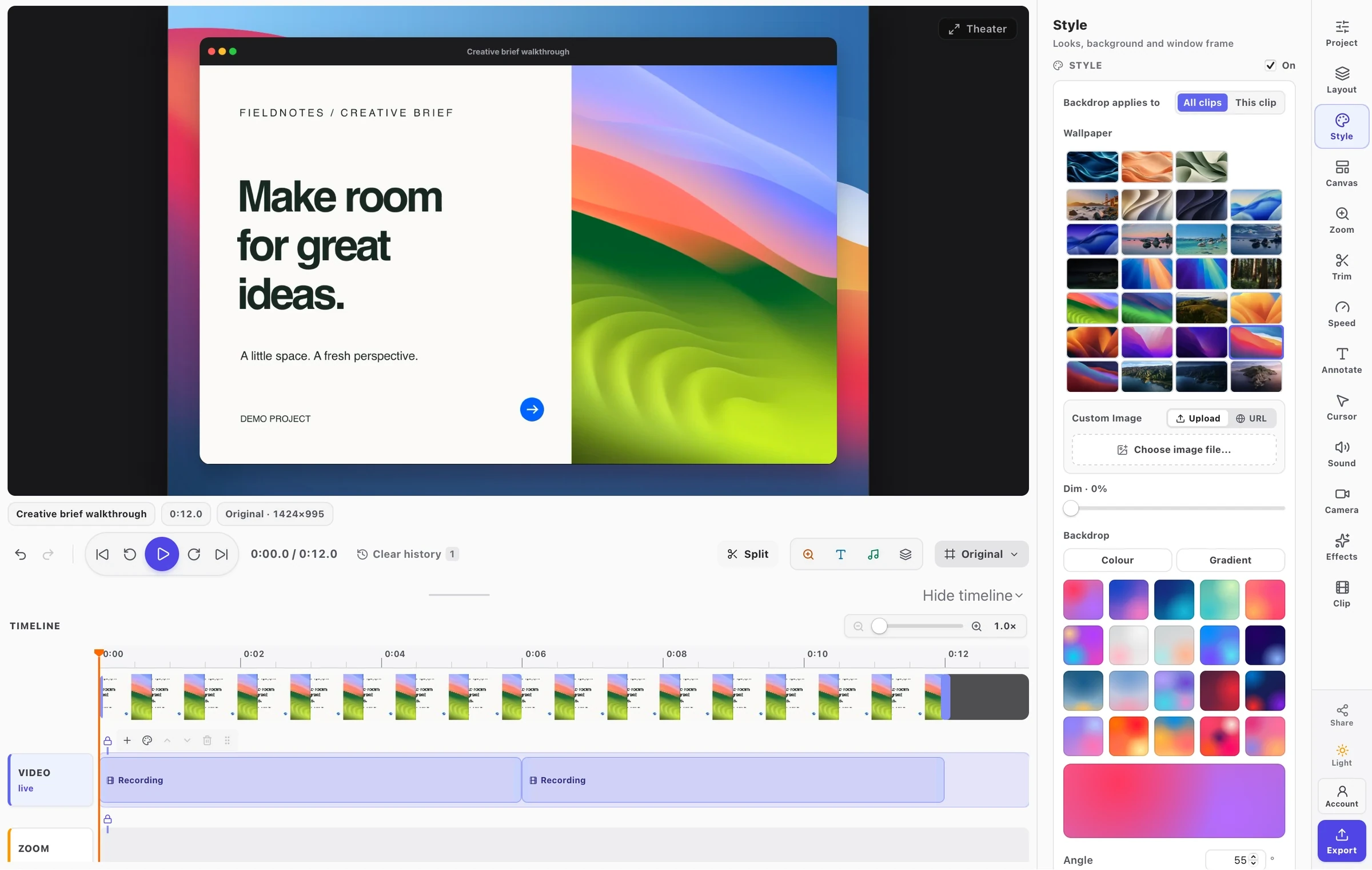
- NewA video studio with a real timeline: multiple clips and lanes, split, trim, drag, ripple delete, and transitions between clips.
- NewSpeed: play a clip — or the whole project — from 0.25× to 4×. Speeding a clip shortens it and closes the timeline up behind it, and anything locked to the picture moves with it. Sound keeps its pitch, on screen and in the exported file.
- NewZooms generated from your own clicks, then moved, retimed and eased by hand.
- NewA drawn cursor and click ripples, taken from recorded pointer movement rather than burned into the picture — so they stay adjustable long after recording.
- NewCamera layouts: a floating bubble, a panel beside the frame, or a split stage. Both pictures can be dragged and resized, for the whole project or for one clip.
- NewSound: import audio tracks, set volume and mute per clip, add fades, and lock tracks so they move with the picture through a cut.
- NewAnnotations over video — arrows, boxes, blur, highlight, spotlight, numbered steps and text — that come and go with the moment they were placed on.
- NewDraw an area to capture, for a recording as well as a screenshot.
- NewExport MP4, WebM, GIF or a single still, at a canvas shape and height you choose.
- NewOne studio for pictures and video, with a library whose cards can be renamed, opened and deleted where they sit.
- ImprovedThe popup opens on the three things you do and the three things you have, rather than a wall of settings.
- ImprovedThe editor shows one group of settings at a time, chosen from a rail — instead of every panel stacked in one scrolling column.
- ImprovedLooks worth pressing: reworked presets, and border and shadow controls that are chosen rather than picked from five words.
- ImprovedA licence's export ceiling is visible before the export rather than after it, and a connected licence stays connected.
- ImprovedTheme follows one answer across the popup, the recorder, the studio and the editor — including "follow the machine".
- ImprovedThe timeline draws thumbnails from the footage under it, and the editor has keyboard shortcuts with a card to look them up in.
- FixedWhat the editor showed is what the exported file contains. Layout, camera placement, crop, fades, transitions, zooms, cursor, ripples, annotations and levels are now drawn by one set of rules for the preview and the file.
- FixedCuts no longer flick. The next clip is opened and put in place before the playhead reaches it, and the halves of a split play straight through instead of handing over — including when the two halves play at different speeds.
- FixedA recording no longer opens with a bang: the microphone is brought up rather than switched on.
- FixedThe black bars a tab capture adds are found and trimmed, so the window frame is drawn around the page rather than around the bars.
- FixedA styled preview is no longer cut off at the edge of the canvas.
- FixedA clip can be dragged backwards, and a split survives being dragged.
- FixedThe click ring sits on the pointer rather than near it.
- FixedThe playhead stays where you left it when a project is reopened, instead of reading a file's own position onto the timeline's ruler.
Annotations, history & sharper exports
v1.0.1 ·
First feature update after launch — annotation tooling, history, and export polish.
- NewAnnotation toolbar: arrows, boxes, blur, and text.
- NewUndo / redo history up to 10 steps.
- NewExport all queued screenshots as a single ZIP archive.
- ImprovedFull-page captures are ~30% faster on long scrollable pages.
- ImprovedClipboard copy now produces a higher-res PNG blob.
- FixedPopup occasionally failed to open with the keyboard shortcut.
- FixedWindow frame shadow no longer clipped on retina displays.
FramioCam launch
v1.0.0 ·
Initial public release on the Chrome Web Store.
- NewCapture visible viewport or full scrollable page.
- NewOS window frames and styled backgrounds.
- NewCopy to clipboard or download a finished mockup PNG.