5 min readUpdated 15 October 2026
FramioCam vs Nimbus Screenshot: Capture and Editing Workflows
Compare Nimbus Screenshot and FramioCam on capture, cloud sharing, education features, screenshot styling, video editing and pricing.
- comparisons
- screenshot-tools
- nimbus-alternative
KEY TAKEAWAYS
- Nimbus uploads captures by default to power sharing; FramioCam keeps capture and editing local, with optional sync to your own Drive.
- Nimbus holds FERPA/COPPA/CSPC/iKeepSafe certifications for schools; FramioCam doesn't pursue those since it isn't built around cloud storage at all.
- Nimbus is the better tool when direct integrations with Slack, Google Drive or Google Classroom are the actual daily requirement.
Nimbus Screenshot & Screen Video Recorder has been on the Chrome Web Store for years and has a genuinely large install base, largely built on schools and teams that need quick capture-and-share. It’s worth comparing directly because the two products solve the same first problem — screenshot plus screencast in one extension — and then diverge completely on what happens next.
The short version
| Nimbus Screenshot & Screen Video Recorder | FramioCam | |
|---|---|---|
| Pricing model | Subscription (roughly $5–$49/year depending on tier); legacy lifetime licenses no longer sold the same way | One-time payment |
| Price | From ~$5/user/month, or ~$49/year for Capture Pro | One-time Pro and Teams plans |
| Where captures go | Uploaded by default for sharing — Slack, Google Drive, Dropbox (Premium), Google Classroom | Stay on your machine |
| Video editor | Trim and crop | Multi-lane timeline, 24 transitions, click-driven auto-zoom |
| Education compliance | FERPA, COPPA, CSPC, iKeepSafe certified | Not education-certified; not built around cloud storage at all |
| Screenshot styling | Basic annotation, PDF export | Full studio: 20+ backdrops, window mockups, 3D tilt, watermarking |
Where the two tools actually differ
Nimbus is upload-first by design; FramioCam keeps the core workflow local.
Nimbus’s sharing model runs through uploading — to Nimbus’s own servers by default, or onward to Slack, Google Drive, Google Classroom, or Dropbox on the Premium tier. That’s the point of the product: quick capture, instant shareable link, done. FramioCam captures, styles and exports inside the browser. Optional sync sends files directly to your own Google Drive; nothing is uploaded to FramioCam.
The pricing history is worth knowing.
Nimbus has offered lifetime-style licenses in the past (a $249 Lifetime Pro license shows up in older user reviews), but current pricing runs as a subscription — starting around $5/user/month, with an annual Capture Pro plan in the ~$49/year range. Users who bought older lifetime licenses have reported friction transitioning between plans. FramioCam has one pricing shape only: Pro and Teams, paid once, with no lifetime-vs-annual distinction to navigate.
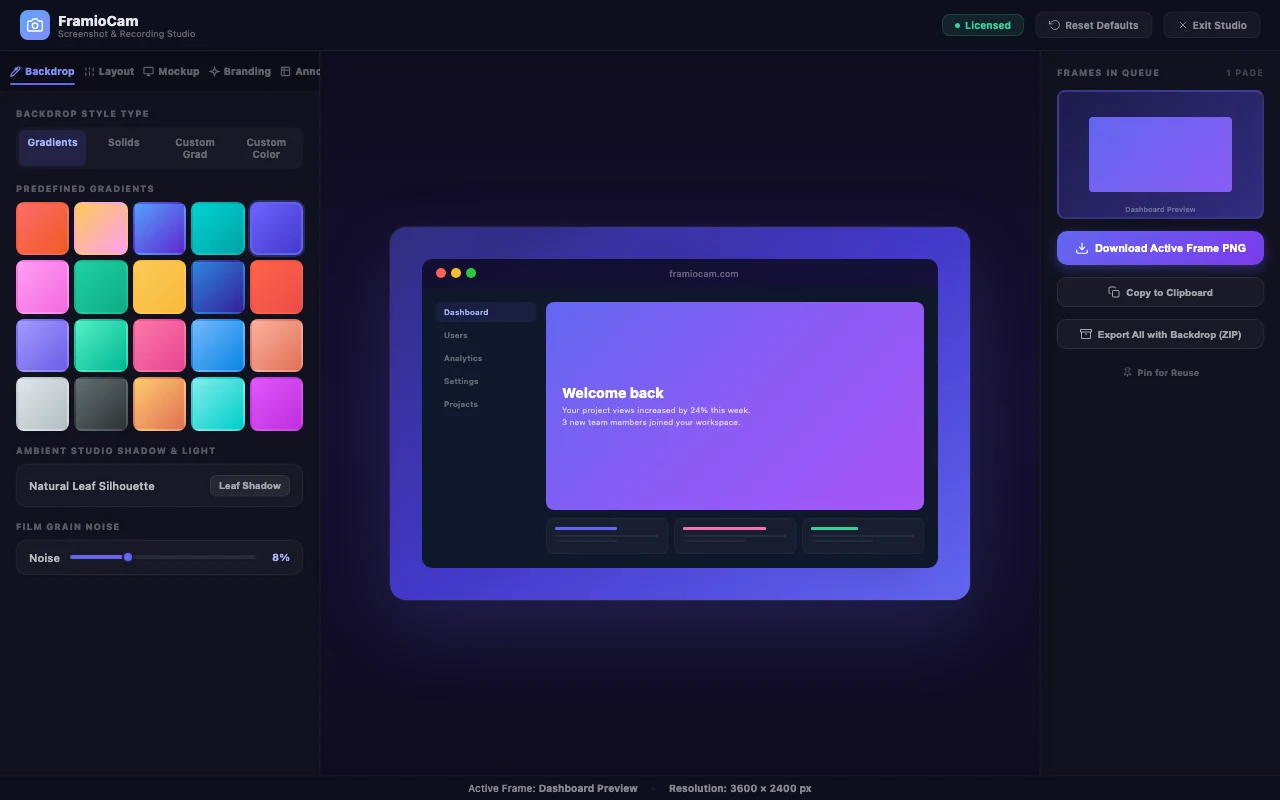
Screenshot styling is a side feature for Nimbus, the core product for FramioCam.
Nimbus covers the basics — annotate, add comments, export to PDF or image — but it’s not aiming for a polished-mockup outcome. FramioCam’s screenshot studio is built specifically for that: 20 curated gradients and 7 solid backdrops, custom two-color gradients, pattern overlays, ambient refraction backgrounds, film grain to remove color banding, macOS/Windows 11 window-frame mockups with a mock address bar, five elevation-shadow styles including color-glow and neon-aura, and a 3D isometric perspective tilt. If the screenshot needs to look like it belongs on a landing page or in an App Store listing, that gap is significant.
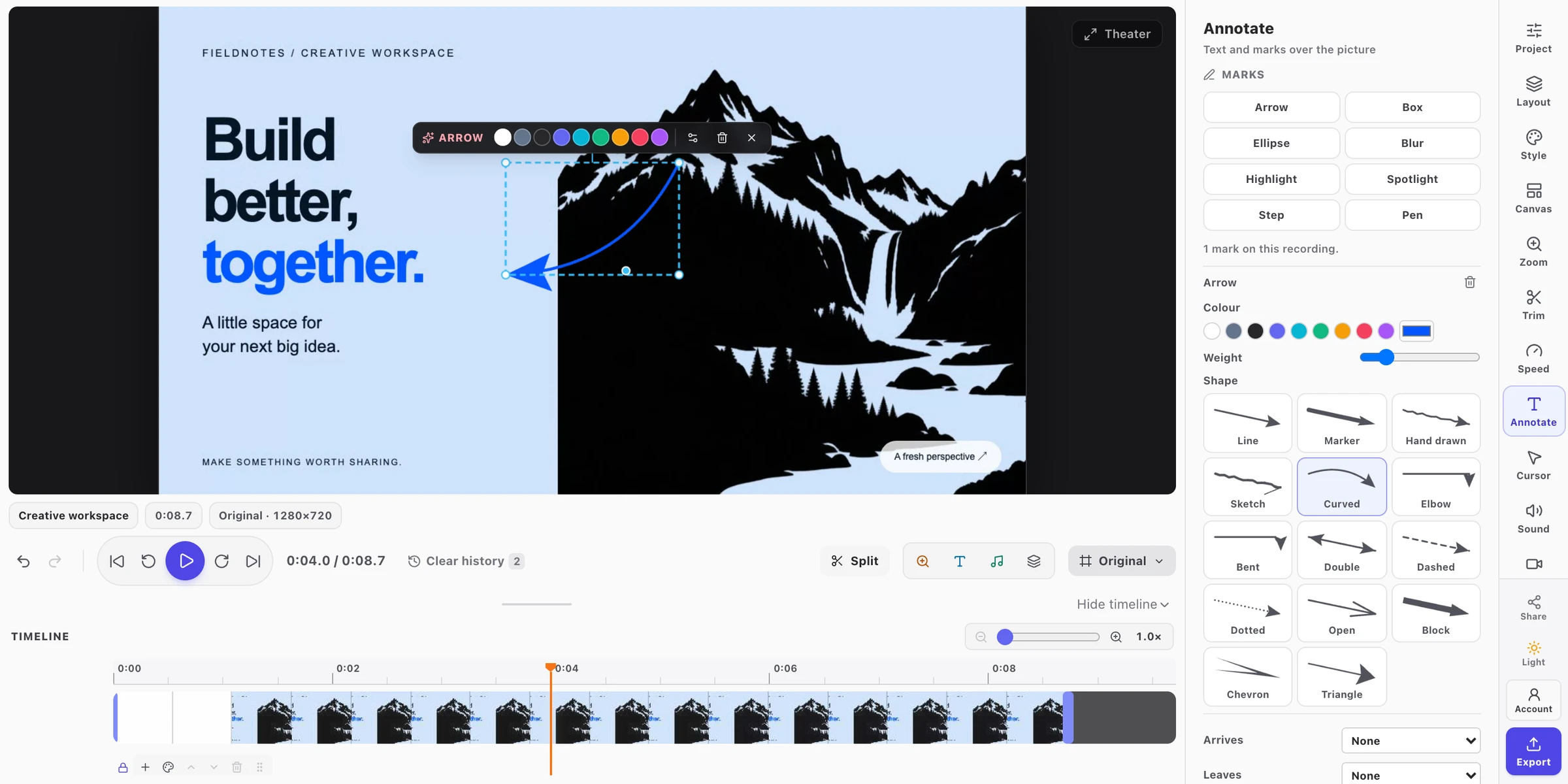
Video editing is trim-and-crop versus a full timeline.
Nimbus supports screencasts with trim and crop, and can convert output to GIF or MP4. FramioCam’s video side is a proper editor: multi-lane timeline with filmstrip thumbnails, a 24-transition gallery with search, zooms generated automatically from your actual recorded clicks, cursor highlighting, webcam compositing with its own controls, and independent lanes for text, marks, and audio. If the recording needs real editing rather than a cut to length, FramioCam covers considerably more ground.
Education compliance is a real Nimbus strength worth naming directly.
Nimbus holds FERPA, COPPA, CSPC, and iKeepSafe certifications, which matter a great deal for school districts that need documented compliance before approving software for classroom use. FramioCam doesn’t pursue those certifications — it isn’t built around cloud storage at all, so the compliance questions those certifications answer largely don’t apply to it, but a district specifically requiring certified compliance paperwork should go with a tool that has it.
Where Nimbus is genuinely the better tool
- Your workflow depends on integrations — pushing captures straight to Slack, Google Drive, Google Classroom, or Dropbox without a manual export step.
- You’re in a school district that requires certified compliance documentation. FERPA/COPPA/CSPC/iKeepSafe certification is a real, specific requirement Nimbus meets and FramioCam doesn’t pursue.
- You want captures accessible from any device, since cloud storage means a screenshot taken on one machine is reachable from another.
Who FramioCam is actually built for
Teams and individuals who want a screenshot or recording to look finished — styled, framed, annotated — without a cloud step in the middle, and who’d rather pay a flat one-time price than navigate a per-seat subscription or a legacy lifetime license that’s since changed terms.
FAQ
Does Nimbus upload my screenshots automatically? By default, sharing flows through upload — to Nimbus’s service or onward to a connected integration. FramioCam keeps capture and editing local, and only sends a file to your own Drive when you enable that feature.
Is Nimbus still selling lifetime licenses? Current pricing is subscription-based (from roughly $5/user/month, with an annual Capture Pro tier around $49/year). Older lifetime licenses exist from prior pricing models, and some users have reported difficulty transitioning between plan types.
Does FramioCam have education certifications like Nimbus? No. FramioCam isn’t built around cloud storage, so it doesn’t pursue FERPA/COPPA-style certifications the way a cloud-based tool like Nimbus does. A district requiring that documentation should choose a certified tool.
Which has better screenshot styling? FramioCam’s studio is considerably deeper — curated backdrops, window-frame mockups, a 3D perspective tilt, and a non-destructive annotation system with undo and redo. Nimbus covers basic annotation and PDF export.
See the full breakdown of how FramioCam compares to Nimbus, Loom, Scribe, CleanShot X, Snagit, Screencastify and Awesome Screenshot, or add FramioCam to Chrome and try the first 50 screenshots free.