5 min readUpdated 15 October 2026
FramioCam vs Scribe: Video Walkthroughs and Written Guides
Compare Scribe and FramioCam for written guides, screenshots, screen recording, editing, sharing, privacy and pricing.
- comparisons
- documentation
- scribe-alternative
KEY TAKEAWAYS
- Scribe auto-writes a step-by-step document from your clicks; FramioCam makes a styled screenshot or an edited video — a different output, not a lesser one.
- Scribe's free plan is browser-only with no export options; FramioCam's free tier includes the full studio and a 50-capture allowance instead of a feature ceiling.
- Scribe is the better tool when the actual deliverable needs to be a written guide, not a visual.
Scribe and FramioCam get compared a lot, and it’s worth saying up front: they don’t make the same thing. Scribe watches you click through a process and writes it up as a document. FramioCam captures a screenshot or a recording and turns it into a polished image or an edited video. If you actually need a written guide, that difference matters more than any feature table — so read the last section first if you’re not sure which you need.
The short version
| Scribe | FramioCam | |
|---|---|---|
| What it produces | A step-by-step written document with auto-captured screenshots | An annotated screenshot mockup, or an edited video |
| Pricing model | Subscription, per seat | One-time payment |
| Free tier | Unlimited guides, browser-only, link/embed sharing only | 50 screenshots with no account; recording and editing need none either, video export needs a free account |
| Paid price | ~$25–29/mo (Pro Personal) or ~$13/seat/mo, 5-seat minimum (Pro Team) | One-time Pro and Teams plans |
| Where your steps go | Captured to Scribe’s service to generate the document | Nothing leaves the browser at any point |
| Primary output | Written step-by-step guides | Browser screenshots and edited screen recordings |
| Video output | No | MP4, WebM, GIF, still PNG |
Where the two tools actually differ
Scribe automates the writing. FramioCam styles the visual.
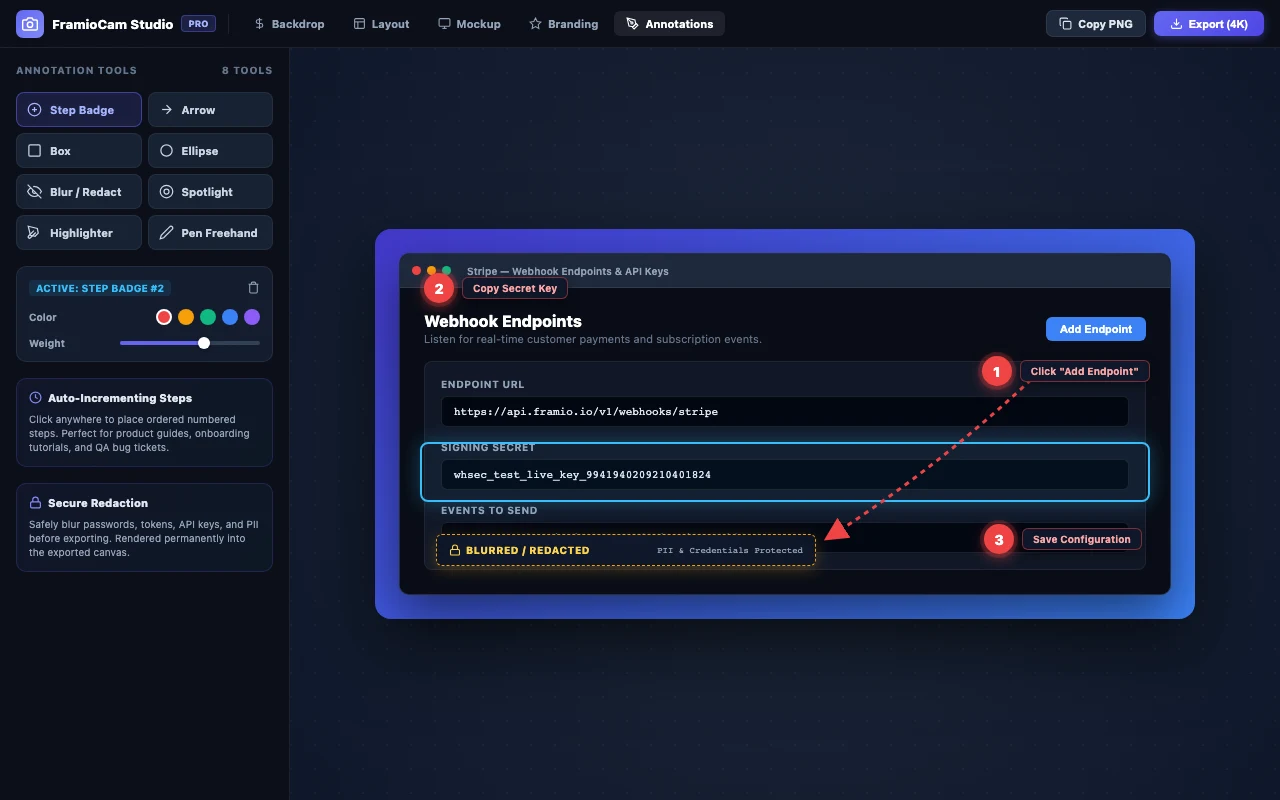
Scribe’s whole pitch is that you don’t have to write the guide — you click through the process once, and it generates numbered steps with a screenshot and an auto-written description for each one. That’s a real, distinct capability. FramioCam has nothing like it and isn’t trying to; there’s no auto-generated prose anywhere in it. What FramioCam does instead is take a single capture and make it look finished — window mockup frames, curated backdrops, annotations, a real video timeline — which is a different job than assembling a multi-step document.
Free tier, opposite trade-offs.
Scribe’s free Basic plan is unlimited on guide count but narrow in scope: browser-only capture through the Chrome extension, no desktop or mobile capture, no PDF/HTML/Markdown export, no custom branding. You outgrow it the moment you need a client-ready export or anything outside a web app. FramioCam’s free tier is the mirror image — full capture range (visible area, full scrollable page, an entire site’s worth of pages, or a drawn region) and the complete studio from day one, screenshots and video alike. What it limits is 50 screenshots before a free account is needed, and a free account for exporting video, rather than a feature ceiling.
Where the data goes while you work.
Scribe’s document-generation happens against its service — the steps you click through are what the guide is built from, so they’re processed there by design; that’s inherent to how an auto-written guide gets made, not a criticism of Scribe specifically. FramioCam’s pipeline is local end to end: capture, edit and export happen in the extension, and nothing about the process is sent anywhere to function.
Team pricing, and what it takes to get there.
Scribe’s official pricing page lists Pro Team at roughly $13 per seat per month with a 5-seat minimum, so the entry cost for a team is closer to $65/month before anyone asks whether they actually need 5 licenses. FramioCam’s three-person Teams option is a one-time purchase covering three people who share six browsers between them — there’s no seat minimum, and no monthly number to justify to finance every quarter.
Export format is the real dividing line.
If what you’re handing someone is a document — numbered steps, a PDF a new hire reads top to bottom — Scribe produces that natively and FramioCam doesn’t try to. If what you’re handing someone is an image they can drop into a deck, or a video they watch, that’s the FramioCam side of the line, and Scribe’s output isn’t built for it: guides are text-first, with screenshots as illustration rather than the deliverable.
Where Scribe is genuinely the better tool
- You need a written, step-by-step guide. That is what Scribe is for, and it’s good at it — internal SOPs, onboarding checklists, and support documentation where someone needs to read instructions, not watch a video.
- You’re documenting a browser-only workflow at scale. Auto-generated captions per step save real time if you’re producing a lot of these guides regularly.
- PDF or Markdown export to a knowledge base is the actual requirement. Scribe’s Pro plans export directly to those formats; FramioCam doesn’t produce documents at all.
Who FramioCam is actually built for
Anyone whose deliverable is visual rather than written: a polished mockup for a case study or App Store listing, a 30-second feature walkthrough before standup, a bug report that shows rather than describes, or a sales walkthrough recorded and cut into something presentable in the time it’d take to write the email explaining it instead. If the end result in your head is a picture or a video, that’s the FramioCam job.
FAQ
Can FramioCam auto-write steps like Scribe does? No. FramioCam doesn’t generate text descriptions of a workflow — it captures and styles screenshots, or records and edits video. Numbered step badges exist as an annotation tool you place yourself, not an automated writeup.
Can Scribe make a video? No. Scribe’s output is a written guide with screenshots; it doesn’t record or edit video.
Which one is cheaper for a small team? For a team of up to three, FramioCam’s three-person Teams licence is a one-time purchase. Scribe’s Pro Team requires a 5-seat minimum at roughly $65/month, even if only two or three people use it.
Does FramioCam need an account to start? Not to start. The first 50 screenshots work with no account, and so does recording and editing video. Exporting a video is the one step that asks for a free account, and free exports carry a small mark. Scribe’s free Basic plan also requires no payment, but is scoped to browser-only capture with no export options.
See the full breakdown of how FramioCam compares to Scribe, Loom, CleanShot X and Awesome Screenshot, or add FramioCam to Chrome and try the first 50 screenshots free.